DeskScapes 2026 (26.0.1.1) Release Feedback
Thank you for your interest and any time you put into making DeskScapes 2026 a better product.
Object Desktop members can get the release from within Object Desktop Manager
Individual purchases (as well as Object Desktop Members) can also be obtained from your account page: https://store.stardock.com/myaccount/products
For guest check-out purchase (no account), from this link: http://www.stardock.com/support/productkeyretrieval
Please include the following for anything found:
Exact Windows version \ build (winver.exe)
Detailed steps to recreate the issue seen
Screenshots and videos are very helpful. Videos can be uploaded to a cloud drive service (GoogleDrive, DropBox, OneDrive, YouTube), with a shared link included in your post. Images can be copied and pasted directly into a post.
If there are specific apps that the app does not work (well) with, please note what apps and their exact versions. If any app is not common, a link to a trial version would be appreciated.
Thank you for your interest and any time you put into making DeskScapes 2026 a better product.
07/27/2026
26.0.1.1
Adds in AI MCP server (see MCPserver.md in the install dir for how to add it to things)
Fixes AI wallpapers page not working in the last build
Fixes some of the desktop effects not working right occasionally
Fixes clicking back on AI restyle page locking things up
Tweaks the rendering of thumbnails in app to have rounded top to blur area too
Reducing the need for the explorer restart on apply
Fixed the desktop effects altering the desktop animation speed
Fixed the stretch over monitor setting not saving
New control option for which GPU used for AI restyle/Wallpaper
Other minor fixes for flicker issues
Adds in three new AI restyle styles (with New badges)
Resolves tray icon not showing always
Resolves some fences background effects not being visible
Resolves desktop effects impacting the frame rate
General improvements to AI Restyle and Desktop effects for consistency when applied
Most of the supported core languages are now included
Adds some missing strings and support for them
Fixes issue with launching build a dream file UI
Allows spaces before and after strings in info panels
Fixes year value for date-based items like x days until y
Fix for countdown date accuracy
Known issues
While we appreciate all feedback, please remember that we offer no official support for beta \ preview \ developer channel versions of Windows. If you report issues while in any of those early release channels, you should not expect them to be addressed unless it still exists in a retail version of Windows.
Horribly slow to load content. I just installed this on a brand new Alienware Aurora 16 running Windows 11 Pro. Not sure why Deskscapes seems to always have a bad connection to Wincustomize. My network settings are optimal since websites and everything else is snappy to load.
Hello,
Sorry to hear you are having issues. Need to know, how long did you actually need to download a file and how large the file size. I just checked on my system and I just need less than a minute to download a 4K animated wallpaper.
Thank you,
Basj,
Stardock Community Assistant.
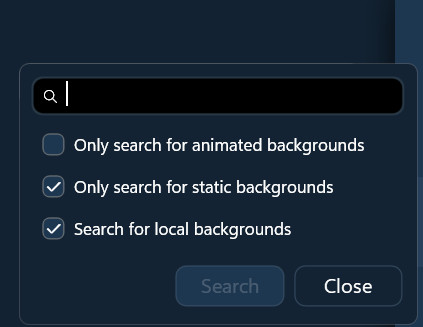
Searching Installed background with "Only search for static backgrounds" and "Search for local backgrounds" crashes DeskScapes 26.

My system is Windows 11 Pro - 26200.8973; and DeskScapes 26.0.1.1
Searching Installed background with "Only search for static backgrounds" and "Search for local backgrounds" crashes DeskScapes 26.
My system is Windows 11 Pro - 26200.8973; and DeskScapes 26.0.1.1
Thanks for the report. Seems there's something unusual when "Search" is clicked, will get looked into.
As it is now, if you press Enter on your keyboard instead, does it function for you normally?
Best regards,
Adam McGuinness
Stardock Support Specialist
As it is now, if you press Enter on your keyboard instead, does it function for you normally?
Yes, it works as expected if you use the Enter key.
I'm still experiencing DeskScapes 2026 not surviving an Explorer restart. However, once I right-click the desktop and select "Show more options..." DeskScapes starts.
My system is Windows 11 Pro - 26200.8973; and DeskScapes 26.0.1.1
I'm still experiencing DeskScapes 2026 not surviving an Explorer restart. However, once I right-click the desktop and select "Show more options..." DeskScapes starts.
My system is Windows 11 Pro - 26200.8973; and DeskScapes 26.0.1.1
Are you sure the service is starting up as that would typically be the reason.
Are you referring to the Stardock DeskScapes 11 service?

Following an Explorer restart, I opened Services and the Stardock DeskScapes 11 service is running. I restarted it from the Services panel and nothing happened.
The only thing that works is to right-click the desktop and select "Show more options..."
From what I've read online, clicking "Show more options" forces Windows 11 to load classic shell extensions and legacy context menu handlers tied to background processes. This action wakes up a stalled or sleeping background service that failed to initialize properly during startup.
I'm still experiencing DeskScapes 2026 not surviving an Explorer restart. However, once I right-click the desktop and select "Show more options..." DeskScapes starts.
My system is Windows 11 Pro - 26200.8973; and DeskScapes 26.0.1.1
Just to clarify: By "not surviving", can you describe more completely what you're seeing happen? Do you mean a crash, a background disappearing, or some other symptom? When I restart Windows Explorer (Win11 25H2 build 26200.8893), none of this occurs for me.
If there's a crash, collecting a crash dump could help get more information.
Best regards,
Adam McGuinness
Stardock Support Specialist
Just to clarify: By "not surviving", can you describe more completely what you're seeing happen? Do you mean a crash, a background disappearing, or some other symptom?
There is no crash, the restart of Explorer simply doesn't load DeskScapes after the restart. Something is blocking the DeskScapes Service from starting, or it stalls until an action ("right-click the desktop and select "Show more options...") forces Windows 11 to load classic shell extensions and legacy context menu handlers tied to background processes. This action wakes up a stalled or sleeping background service that failed to initialize properly.
Just to clarify: By "not surviving", can you describe more completely what you're seeing happen? Do you mean a crash, a background disappearing, or some other symptom?
There is no crash, the restart of Explorer simply doesn't load DeskScapes after the restart. Something is blocking the DeskScapes Service from starting, or it stalls until an action ("right-click the desktop and select "Show more options...") forces Windows 11 to load classic shell extensions and legacy context menu handlers tied to background processes. This action wakes up a stalled or sleeping background service that failed to initialize properly.
After restarting Explorer, and DeskScapes not loading properly, manually starting DeskScapes services, or launching DeskScapes64.exe, or DS11Srv.exe do not help either. Is it possible that a background extension or DLL is not loading properly, and activating Show more options in the Desktop context menu forces this background extension or DLL to load?
My Vintage Animated wallpaper stopped working
Hello,
Sorry to hear you are having issues. Please share which Animated Wallpaper not working? Share a link so I can download and test it.
Thank you,
Basj,
Stardock Community Assistant.
Just to save some time, I believe he's referring to the dream "Vintage" - the hybrid dream that used to ship with DeskScapes, had the red drive-in, a blue car, birds flying past, girl in a dress talking to the guy in the car.
I believe, I don't have it in my system to test it out. I have forwarded this issue to Stardock Support Team for their assistance. Please keep an eye on this thread for any updates. We appreciate your feedback and patience. Thank you.
Basj,
Stardock Community Assistant
Hello and thank you for your post.
My Vintage Animated wallpaper stopped working
I'm not seeing a Dream matching this name or description on the WinCustomize site. However, it sounds like it could be an issue with that Dream specifically, rather than DeskScapes2026 itself. Can you check to see if any other animated Dream works for you?
If they do, you might try reaching out in the WinCustomize community to see if they have more information about that Dream to help.
Thanks again and best regards,
Adam McGuinness
Stardock Support Specialist
XXXXX-XXXXX-XXXXX-XXXXX-XXXXX-XXX
Personal info removed by Moderator. Please don't include your email or product keys in a public forum.
Again, if the issue concerns only a specific wallpaper/theme/etc, the WinCustomize forum is mostly likely the best place to ask about that.
If other animated wallpapers available from the DeskScapes 2026 app itself are working for you, then the app is apparently functioning as expected.
What you have appears to be a "Theme" purchased 2011, which includes a .wba file and some .jpg files. My understanding is this would be for WindowBlinds theme, which is a different product. DeskScapes 2026 uses .Dream files for animated wallpapers.
Best regards,
Adam McGuinness
Stardock Support Specialist
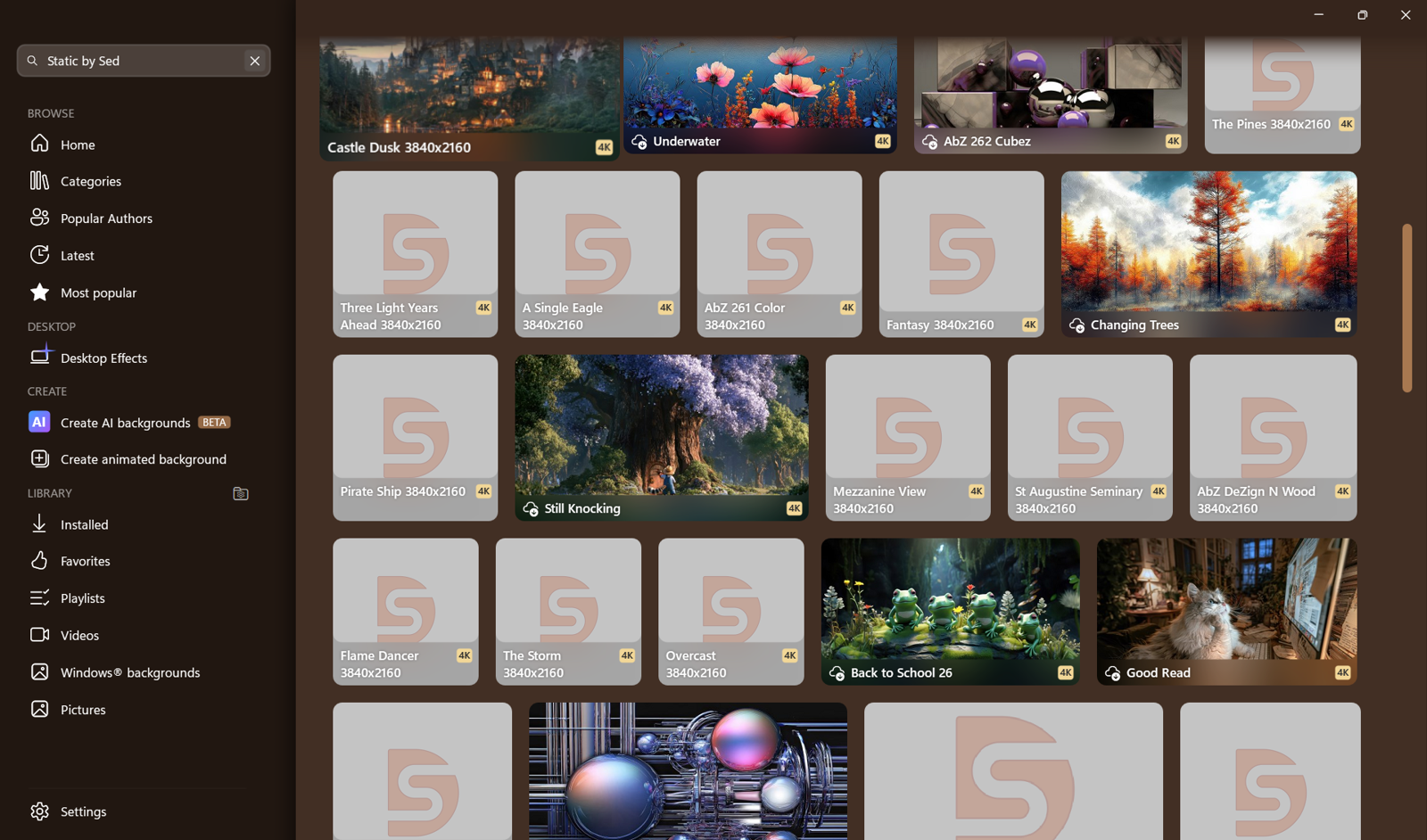
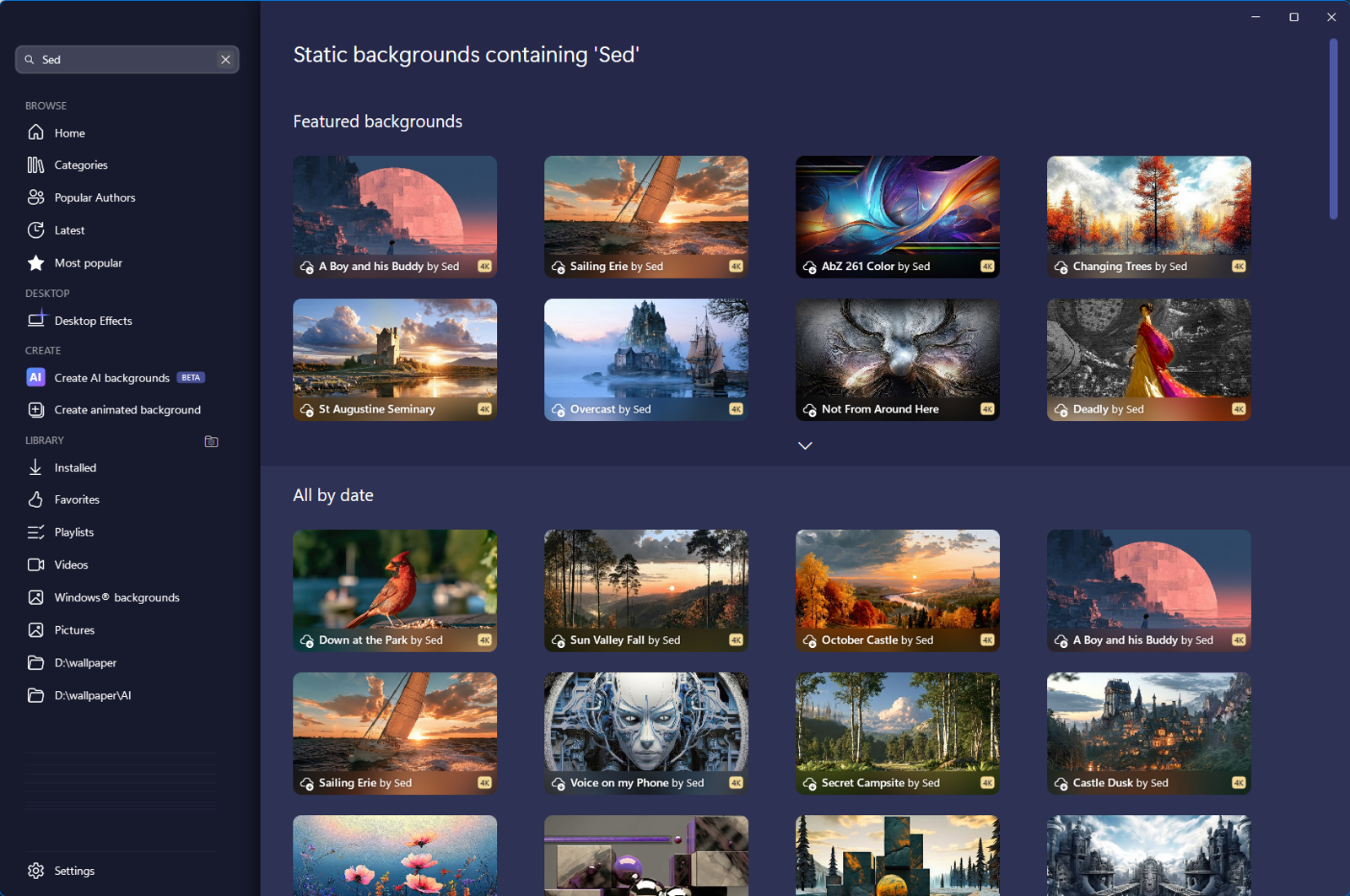
I'm curious why this happens all the time?
Hello,
Sorry to hear you are having issues. I can't reproduce your issue, is the issue only happen with that specific search prompt?

Thank you,
Basj,
Stardock Community Assistant.
No. Happens whenever OneDrive isn't running. Seems OneDrive has to be active for this to not happen.
Perhaps some of those walls are on your OneDrive folders? From your screenshot, not really clear if you're at "Installed" browse tab or "Home" browse tab
Thank you,
Basj,
Stardock Community Assistant
Welcome Guest! Please take the time to register with us.
Select a reason for giving karma:
You're about to visit an external site:
Sign up here to get the latest news, updates, and special offers delivered directly to your inbox.