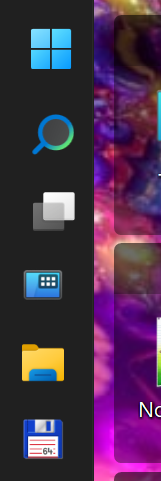
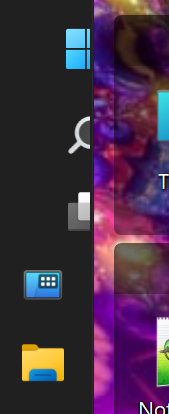
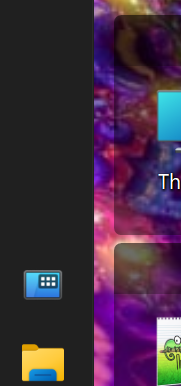
Start11 taskbar bug after Win11 26H2 update

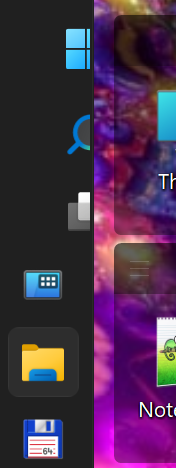
The Start, Search, and Desktop buttons have shifted slightly to the right. The situation seems to depend somewhat on the number of running application icons in the taskbar, although I haven't noticed a strong correlation. In general, they appear in the correct positions when there are three or more running applications.

Start11 version: 2.81
Windows 11 26H2 build 26300.9550
175 views 1 replies
Reply #1 Top


Hello,
Sorry to hear you are having issues. Please try, uninstall Start11, reboot immediately (important), download latest version available in your account product download page: https://store.stardock.com/myaccount/products. Install it, reboot immediately again. Retest it and report back.

If the issue still appear we need few more information.

  1. Start11 Enhance taskbar turn on or off?
  2. Left edge taskbar setting control by Start11 or Windows own setting?
  3. Taskbar Autohide turn on or off?
  4. Windows display scale setting, 100%, 125% etc?
  5. Single or Multiple screen setup? 
  6. Do you have any other application running in the background that also change or add something on your Taskbar? 

Thanks

Basj,
Stardock Community Assistant